The story
A photo is worth a thousand words. Unless you cannot see it.
PhotoLens was not built from a product brief. It was built from a moment — a family trip, a remote shore, a phone full of photographs and no way to know what was in them.
PhotoLens is a simple, accessible photo gallery designed for everyone, especially people who are blind or have low vision. It helps you understand your photos by describing what is in them using natural language, right on your device.
A Photo Is Worth a Thousand Words. Unless You Cannot See It.
There is a quiet, particular kind of loneliness that has no name yet.
It is not the loneliness of being alone in a room. It is the loneliness of being surrounded by people you love — laughing people, pointing people, people saying look at this, look at that — and standing in the middle of all of it, hearing the wind move through the trees, hearing waves break against the shore, hearing birds call from somewhere above you, and understanding with absolute clarity that the world around you is beautiful.
Knowing it is beautiful.
And still not being able to see it.
The Trip That Built This App
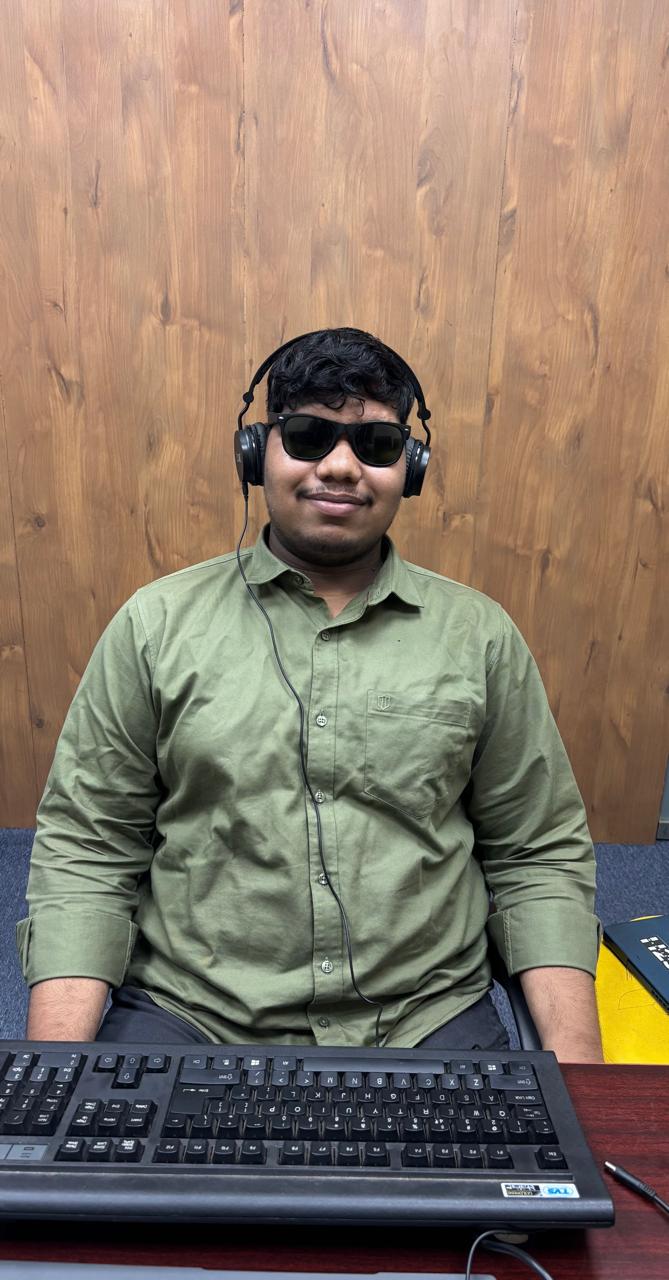
I am visually impaired. This is not a footnote in my story. It is the whole story.
A while ago, my family took a trip to a remote area — a place far from the city, deep into the kind of landscape that makes people stop mid-sentence to stare. The kind of scenery that earns its own silence. I do not need to name the place. If you have ever been somewhere so naturally overwhelming that you felt small in the best possible way, you know the kind of place I mean.
My family was alive with it.
I could hear it in their voices — that particular pitch of delight that people reach when they are witnessing something they know they will never forget. They were reliving moments even as the moments were still happening. Someone would take a photo, then someone else would take the same photo, and they would compare them — tilting their screens toward each other, arguing gently about which framing was better, which light was more golden, which angle caught more of the sky.
I had my phone too. I had my camera. I took photos — I think. I pressed the button when I heard excitement in the voices around me. I pointed the lens in the direction of the sounds and hoped the frame caught something worth catching.
But I did not know what I had captured. I could not know.
What I had, instead, was sound. The birds. The wind. The sea. The voices of the people I love, narrating a visual world I could not enter.
At some point — I remember this clearly — someone said "Wait, take a picture of all of us here, this is perfect." And they arranged themselves against whatever backdrop had earned that word: perfect. And someone took the photo. And I was in the photo. And I smiled, because that is what you do.
And I had no idea what we looked like. I had no idea what was behind us. I had no idea if it was perfect.
I just smiled. And the wind kept blowing.
The Moment the Tools Betrayed Me
I am a software engineer. I had prepared for this. I knew what was out there.
I had the sophisticated AI assistants. The so-called accessibility tools. The apps that promised to describe images — to be the eyes I did not have, to bridge the gap between a photograph and an understanding of it. I had researched them. I had installed them. I trusted them.
And the moment I opened one of those apps in that remote place — no bars, no WiFi, not a trace of a signal, not even the ghost of a network tower on the horizon — they shut themselves down.
Not with an apology. Just with an error. Or silence. Or a spinning indicator that meant: I need the internet, and there is no internet, and therefore I can do nothing for you.
The sophisticated assistant needed a server it could not reach.
The AI tool needed an upload it could not complete.
The accessibility feature needed connectivity that simply did not exist.
And so, in the middle of a family trip to one of the most beautiful places any of us had ever been, surrounded by the people I love most, I was alone in the most specific and technical way possible: I had a phone full of photographs and not a single tool on earth capable of telling me what was in them.
I put the phone in my pocket.
I listened to the birds.
And somewhere in the silence between those bird calls and the sound of the waves and the laughter of my family, a question formed that I could not stop turning over. Not in the direction of grief, though grief was somewhere nearby. Not in the direction of resignation, which would have been easier.
In the direction of a question.
I am a software engineer. What would it actually take to fix this?
What would the architecture look like? What would need to be true about the system — really true, not promised by a marketing page — for it to work here? Right now? With no signal? In a remote place? For someone who cannot see?
For the rest of that trip, while my family looked at the scenery, I was building something in my head.
What Frustration Builds
PhotoLens was born from that trip. Not from a product brief. Not from a gap in the app store spotted by a developer hunting for opportunities. Not from a business model that happened to include accessibility as a selling point.
It was born from a person sitting in a place of extraordinary beauty, excluded from the visual dimension of it, and refusing — because it is in the nature of engineers to refuse — to accept that this was just how things were.
The frustration was clean. That is what I remember most clearly about those days. It was not self-pity. It was not sadness, exactly. It was the focused, pressurized frustration of someone who can see a problem clearly and can see, just as clearly, the outline of a solution. The frustration of knowing that something could exist that does not yet exist.
The existing tools had failed me for a reason that was actually simple, even if the fix was not: they were built around the assumption of connectivity. The AI lived on a server. The server needed the internet. The internet needed a signal. And when the signal disappeared — as it does, reliably, in any place that is truly remote, truly beautiful, truly worth going to — the AI disappeared with it. And so did every promise of independence.
The solution, therefore, had to begin with a completely different assumption.
The AI has to live on the device. Not on a server somewhere. On the phone. Always there. Always ready. No signal required.
That was the requirement that came out of that trip. Everything else in PhotoLens follows from it.
What I Built, and Why Every Decision Matters
PhotoLens is not simply an app. It is a system of deliberate, principled decisions — technical, ethical, and human — that together produce something that most people would assume requires a server, a cloud account, a subscription, and a permanent surrender of their data.
It requires none of those things.
Let me take you inside the architecture, because the architecture is the argument.
The Decision to Go On-Device
This was the first and most consequential decision, and it was not made lightly, and it was not made abstractly. It was made by a person who had stood in a remote place with a phone full of photographs and no way to understand them.
On-device AI inference — running a full multimodal language model locally on a smartphone — is genuinely hard. It is computationally expensive. It requires a device with capable GPU or NPU hardware. It demands careful optimization of memory usage, thermal management, and inference throughput. You cannot simply call an API and get a response in milliseconds from a data center with unlimited compute.
You could build a faster, cheaper, technically simpler app by sending photos to a cloud API. Many apps do exactly this.
But I made the on-device decision for two reasons I was not willing to surrender.
Reason one: It has to work when there is no internet. No exceptions.
I know, from personal experience, what it costs when an accessibility tool fails in a remote place. That cost is not inconvenience. It is exclusion. It is being in the middle of a beautiful moment with your family and having every tool you prepared — every app, every assistant, every piece of sophisticated technology you trusted — go dark because a server somewhere is unreachable.
An accessibility tool that only works when you have signal is not an accessibility tool. It is a fair-weather accommodation. It works in cities. It works in offices. It works in the places where the people who built it spend most of their time. And it fails precisely in the places that are most worth being — the remote, the beautiful, the far from infrastructure.
PhotoLens had to work in the mountains. At the coast. In the field. Wherever I was on that family trip, with no bars, with my phone full of photographs I could not understand.
Reason two: Your photos are your memories. They should never leave your device.
My users' photos are not data points. They are the visual record of lives lived — of moments exactly like the one that built this application. A family gathered at a beautiful place. Children photographed at milestones. A private document, a medical record, a love letter captured on a camera because there was no other way to hold onto it. These are not things that should travel across the internet to be analyzed by a machine on a server you did not choose to trust.
When you send a photo to a cloud service — any cloud service, regardless of how well-intentioned — that photo has left your hands. And for a user who is blind or has low vision and cannot independently audit where their data is going, that loss of control is not a theoretical concern. It is a real and ongoing vulnerability. Accessibility tools that require cloud upload are extracting a privacy tax from the users least able to assess and resist it. I have always found that morally wrong. After the trip, I found it personally wrong too.
On-device processing eliminates this not by promising something, but by making the opposite technically impossible. Your photo cannot leave your phone. Not because of a policy. Because there is no code to send it anywhere.
The Choice of Gemma 4
When Google released the Gemma 4 open-weight model family — specifically the E2B and E4B multimodal variants — I recognized immediately what it represented for everything I was trying to build.
Gemma 4 is not a large model shrunk down to fit on a phone. It is a natively multimodal model, designed from the beginning to understand images and text together as a unified whole — not as a compressed JPEG handed off to a separate vision encoder attached to a text model, but as an integrated input that the model reasons about as one thing. The architecture reflects the problem: vision and language are not separate modules stitched together. They are one system. The thinking is unified.
This matters enormously for what PhotoLens is trying to do. The descriptions it produces are not captions extracted by a computer vision pipeline and narrated by a language model reading keywords. They are the output of a model that sees the whole image — composition, subject, atmosphere, mood, the relationship between elements — and produces language that reflects that holistic understanding.
Gemma 4 also introduces Thinking Mode: the ability to expose the model's chain-of-thought reasoning before it arrives at a final answer. In PhotoLens, this means you can hear the model work through what it sees before it commits to a description. This is not a technical curiosity. It is an accessibility feature. It builds trust. When someone is depending on AI to understand their visual world — when the description is all they have — knowing how that description was reached matters.
And Gemma 4 is open-weight. The model is not a black box owned by a company that could change its terms or pull the service without warning. The weights are open. The behavior can be examined, understood, and held accountable. There is integrity in that openness that I am not willing to compromise on.
The LiteRT-LM Runtime
Having the right model is only half the engineering problem. Running it on a phone — efficiently, without draining the battery in ten minutes, without consuming so much memory the operating system kills the app — requires a purpose-built inference runtime.
LiteRT-LM (formerly MediaPipe LLM Inference), developed by Google, is that runtime. It is the bridge between the Gemma 4 model weights and the smartphone hardware that executes them — scheduling computation across the GPU and NPU, managing memory precisely enough to coexist with everything else on the device, and doing all of this entirely locally. No telemetry. No remote calls. No network dependency of any kind.
Together, Gemma 4 running on LiteRT-LM, on your Device, is a complete and self-contained AI system. The photo goes in. The description comes out. Nothing leaves the phone. No signal required.
This is what I was wishing existed when I was standing in that remote place with a pocket full of photographs I could not read.
The Accessibility Architecture
Accessibility in PhotoLens is not a layer added on top of the app after the real work was done. It is the structural skeleton around which everything else is organized — because I am not designing for a hypothetical user. I am designing for myself, and I know what the difference between real accessibility and performed accessibility actually feels like in practice.
Every screen is built with TalkBack as the primary navigation mode, not an afterthought. Every interactive element carries a meaningful semantic label — not a generic identifier, but a description that tells you both what the element is and what it does in its current state. Navigation is linear, predictable, and never requires spatial reasoning to operate. Focus management is deliberate and automatic: when a description is generated, focus moves to the output immediately, so the result does not have to be hunted. Error messages and status changes are announced by the screen reader without requiring navigation. Touch targets are generous. Contrast ratios are maintained rigorously throughout.
The Application is designed against WCAG 2.1 standards with a sincere commitment to Level AA compliance across all features.
But the most important accessibility decision in PhotoLens is not any of these UI decisions. It is the AI decision. The whole application exists to make photographs speak. That is accessibility — not as a feature, but as the fundamental purpose. Every technical choice in the codebase: the model, the runtime, the offline architecture, the focus handling, the label conventions — every single one exists in service of that one human goal. Helping someone understand what is in their photograph. Wherever they are. Without asking anyone for help.
What It Feels Like
I want to say this carefully, because it is not about the feature list.
Imagine you are on a trip with your family. Somewhere remote. Somewhere beautiful. There is no internet. You have taken photographs — you pressed the button, you pointed the camera in the right direction, you hoped. You open PhotoLens. You navigate to one of those photos. You press the button.
And you hear:
"A coastal landscape at what appears to be late afternoon. The sky is a gradient of orange and pink near the horizon, deepening to blue above. Rocky formations meet the water in the foreground. Waves are mid-break, white foam catching the light. Several silhouettes of people are standing on the rocks, facing the water."
And you know. You were there. You were one of those silhouettes. The wind was in your face and you pressed the button and you did not know what you had caught.
Now you know.
Now imagine that happened without your photo leaving your phone. Without an internet connection. Without an account, a subscription, a company you had to trust. Without asking a single person for help.
That is PhotoLens. That is what I spent the whole rest of that family trip building in my head, and then came home and built for real.
The People This Was Built For
I built PhotoLens for myself, first. I want to be honest about that. I built it because I was in a beautiful place and excluded from the visual dimension of it, and I was a software engineer, and that combination felt less like an opportunity and more like an obligation.
But I built it for everyone who has ever been in that position.
For the person who has a phone full of photographs from a family trip and no way to know what is in them without asking someone else.
For the person who photographs their prescription bottle, their doctor's letter, their bank statement — not because they want to, but because it is the only practical way to access printed information — and who deserves to understand those images without sending sensitive medical and financial details to a cloud service they did not choose.
For the older person whose sight is changing and who is, perhaps for the first time, discovering that the visual record of their own life — years of photographs, decades of moments — is becoming inaccessible to them.
For the young person with low vision who receives images from friends every single day and wants to participate in that exchange on the same terms as everyone else. Not as someone who is accommodated. As someone who is simply included.
I built it for all of them. And because I am one of them, I built it knowing what is actually at stake when the tool fails.
Privacy Is an Accessibility Issue
This needs to be said plainly, because I do not think it is said often enough:
Privacy is an accessibility issue.
When an accessibility tool requires cloud upload to function, it creates an information barrier that falls hardest on the people it claims to serve. A sighted user can navigate a privacy policy, review app permissions, research a company's data practices, and make a reasonably informed decision about what to share. For a user who is blind or has low vision, that same audit is substantially harder. The power asymmetry is real. The gap between what the app claims and what it actually does is harder to close.
Apps that require you to upload your photographs in order to understand them are, in a very specific sense, using your dependence against you. The thing that makes you dependent — the inability to independently access your visual content — becomes the leverage that extracts your data.
PhotoLens refuses that bargain entirely.
You should not have to choose between independence and privacy. You should not have to hand over your memories to get access to them. These are not competing values. They are the same right: the right to your own life, your own photographs, held privately in your own hands, accessible without conditions.
The on-device architecture is not a technical preference. It is an ethical position. It comes from personal experience with what it costs when the architecture is wrong.
The Mission, Stated Simply
Technology should serve people. Not the other way around.
Accessibility technology, above all, should serve the people who need it most — not as a charitable afterthought, not as a premium feature for those who can afford it, and not as something that works beautifully in cities with good WiFi and then vanishes the moment you go somewhere remote and extraordinary with your family.
PhotoLens is one app, for one problem, built by someone who has lived that problem and refused to stop thinking about it until there was a solution worth the frustration that built it.
It is not perfect. AI makes mistakes. Descriptions can be wrong, or incomplete, or miss the emotional weight of a moment that no model will ever fully capture in words. I know this. I am working on it, every day.
But it works offline. It keeps your memories private. It is accessible from the ground up, by design, by someone who needed it to be. And it exists because one visually impaired software engineer sat in a beautiful place he could not see, listened to the birds and the wind and the sound of his family being happy, and decided that was enough of a reason to build something that had never existed before.
It is yours. On your device. With no signal required. Always.
Get in Touch
PhotoLens is built by one person, and that person reads every message.
If something is not working the way it should — especially if the screen reader is not announcing something correctly, or if a feature fails in a situation where it matters — I want to know. Accessibility failures are not minor issues to queue for a future release. They are the whole point. They are why this exists.
If you want to share your experience, or just say hello, I mean it when I say: reach out.
Email: info@susantswain.com (Responses within 2 business days. For faster replies, WhatsApp or Telegram is better.)
WhatsApp: +91 98615 74469
Telegram: @susantswain
PhotoLens is developed independently by Susant Swain, Bhubaneswar, Odisha, India.